Start with an automatic first pass.
Image splitter for social posts
Image splitter online. Post in order.
Drop in one collage, grid, or carousel image. Get clean, numbered files ready to post.
Try one split without signing in. Normal splits stay local.
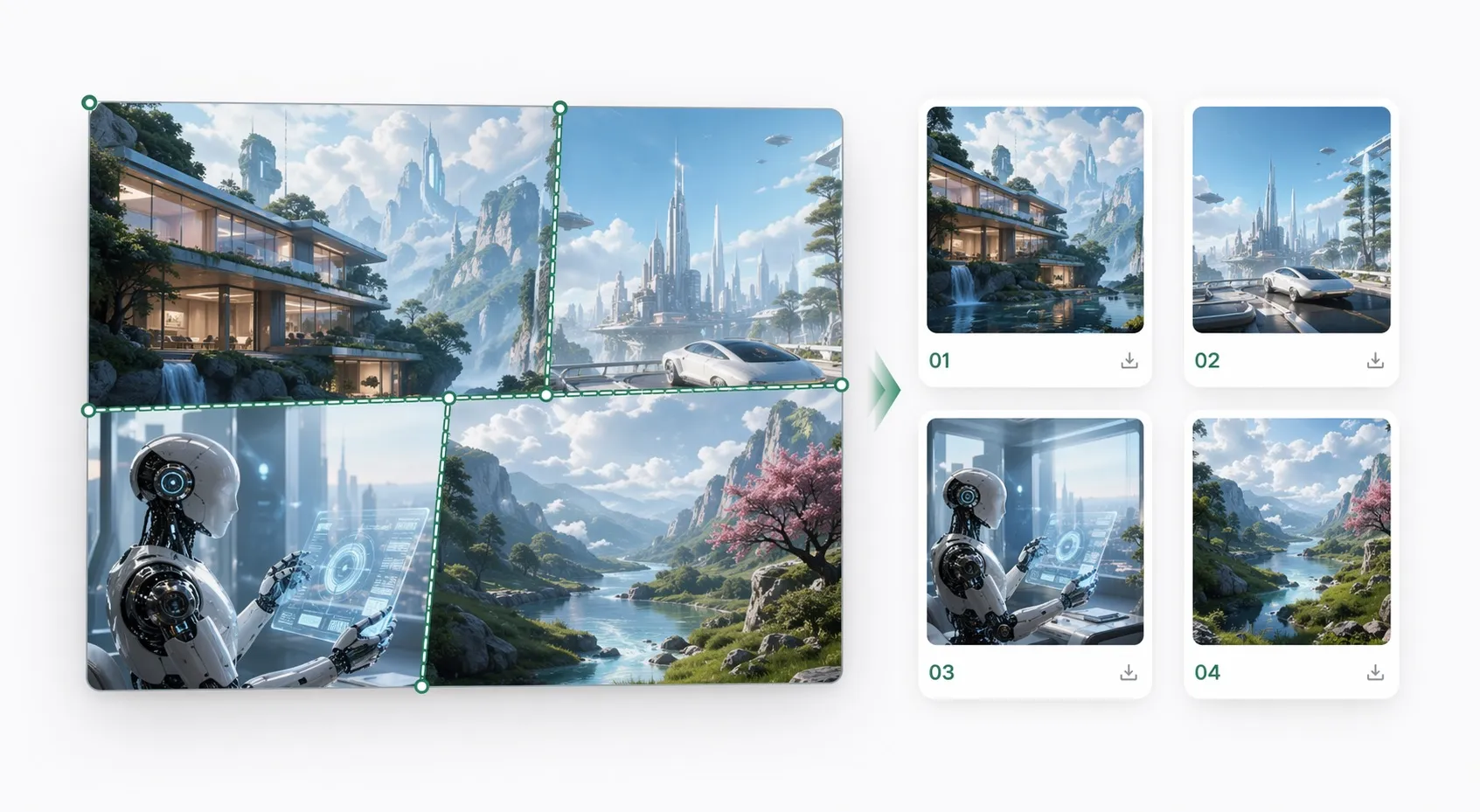
Export PNG, JPG, or WebP.
Keep 01 first in the posting order.
Save the full batch in one download.
Workspace
Split collages, grids, and carousel images online.
Upload one image. Auto detect the cuts. Review the numbered files, then download.
3 free splits left
Step 1 — Upload
Choose one image to start.
Drop one collage, grid, or carousel image here.
Upload
Drop one image
Start with a collage, grid, or carousel image.
PNG
JPG
WEBP
Normal splits stay local.
Drag a green line to adjust. Reset returns to auto detect.
Use the default split first.
Touch the image only when a line is wrong.
You will download numbered files like 01, 02, 03.
Choose how to start.
Upload an image for the main path, or use a URL when you already have one.
Output panels
Numbered files will appear here after the split.
All panels ready
Download in order when everything looks right.
Export settings
PNG, original size, posting order.
Steps 2–4
Start on the right with the split mode.
Auto detect is the default. Leave import and export extras folded until the cut direction looks right.
Batch will start automatically
Ready
After the last URL is fetched, Import and split starts right away.
Separate direct image URLs with new lines, spaces, or commas.
Paste one image URL to begin. Paid accounts can import several URLs as one batch.
Last URL batch
Paste the next batch in the same order to keep moving.
Ctrl/Cmd+Enter starts import and split.
Start here
Most images work with Auto detect. Switch only when the layout is already obvious.
Quick presets Use a fixed layout when the split is already obvious.
Canvas options Download order and resize.
Files are numbered in the order you should publish them.
The image keeps its aspect ratio. Smaller images stay at their original size.
Files export as 01.png, 02.png...
Advanced export settings Quality, overlap, and margin.
92
Used for JPG and WebP. PNG keeps full quality.
0 px
Adds shared pixels around each slice when exporting.
0 px
Trims each exported slice inward to remove borders or gutters.
Next: review the split mode, then split
Start with Auto detect. Open import and export extras only when you need them.
Step 4 — Review and export
Generate the file set, then check the numbering and posting order below.
Drag split lines to move them. Add or reset cuts from the canvas tools when auto detect misses one.
Fine tune selected line
Select a split line on the image.
Drag on the image to draw crop boxes. You can add up to 12 selections.
Batch queue
Paid accounts can split several images in one run.
Upload one image to start.
Ready to split
Check the cuts, then export.
After split
Review the files, check the posting order, and download from one place.The file list, social preview, and recent jobs stay together below the canvas.
Results
Post-ready files
Files are numbered in the order you should post them.
Ready to download
The file set is numbered in the order you should post it.
Ready to post?
Looks good
Post 01 first and keep the rest in order.
Recent jobs
Reopen or download the last splits from this browser.
Saved only on this browser unless you send a sample for support.
Choose the page
Start with the page that matches the job.
Use the broad page for merged images. Use the narrower pages when the layout or posting goal is already clear.
General split
Image Splitter
Best for merged images, stitched screenshots, comparison sheets, and collage clean-up.
Fixed layouts Split Image OnlineBest for rows, columns, and fixed grids where the cuts are already obvious.
Posting order Instagram Grid MakerBest for 3x3 grids and any job where you need to know which tile goes first.
AI outputs AI Collage SplitterBest for four-panel generations, prompt comparison sheets, and stitched AI outputs.
Creative posts Burst GridBest for reveal posts, burst layouts, story slices, and creative swipe sequences.
Guides
Start with a guide when the posting goal is specific.
Short guides for Instagram grids, AI collages, and carousel uploads help Google and people find the right workflow faster.
Instagram tiles
Split an image for Instagram grid
Choose the right grid size, keep the posting order clear, and check Tile 01 before publishing.
AI outputs Split an AI collage into separate imagesStart with auto split, fix only the seams that miss, and export a clean generated set.
Carousel posts Upload a carousel in orderKeep Slide 01 first and preserve the swipe sequence before the files go live.
3x3 posting Post a 3x3 grid in the right orderUse the Instagram order preset and publish the numbered files without guesswork.
Pricing
Keep the workflow moving when one image becomes a batch.
Start with the free split. Buy a credit pack when you need more files or batch work.
One uploaded image uses one split.
Creator is the best fit for repeat work. Studio is the lowest cost per image. Credit packs are built for repeat image work.
Batch work
Process several images in one run.
One split per image
Simple usage you can understand before buying.
Lower cost per image
Creator saves 20%; Studio saves 40% versus Starter.
Starter
Quick jobs$5 for 50 images
For one-off cleanup.
- 50 uploaded images
- Batch work unlocked
$0.10 per image
Creator
Most popular$12 for 150 images
For repeat posting work.
- 150 uploaded images
- Best fit for repeat work
$0.08 per image · 20% less
Studio
Larger runs$29 for 500 images
For steady production work.
- 500 uploaded images
- Lowest cost per image
$0.06 per image · 40% less
Message board
Read public notes and leave one of your own.
Notes appear here only after review. Sign in to post. Links and repeat posting are blocked.
Approved notes
0
Short feedback from real users.
The first approved note will appear here.
Leave a note
Useful feedback, use cases, or what you want improved next.